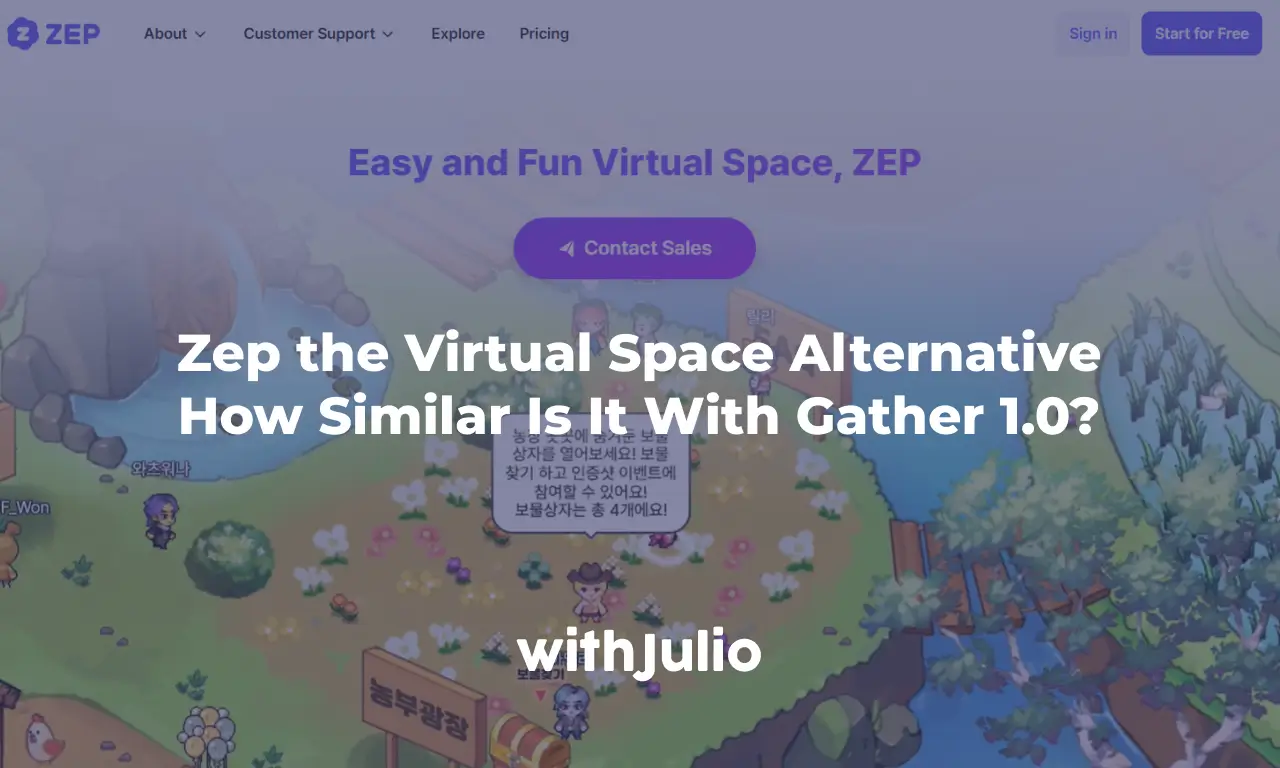
Oh! It’s been a loooong time since I made my latest Zep Virtual Space article. It’s almost 4 years ago and this year I finally came back to try Zep. There are many things updated on Zep that I’m not aware before. Regarding to Gather, I don’t think they will bring back the old Gather 1.0 customization feature on Gather 2.0, so let’s move on and try another alternative like what I said on the previous article. So if you still love the Gather 1.0 customization, but want to move on, Zep might be a good choice for your virtual office space.
Zep as Virtual Space is totally different game now. In short, it’s totally worth a try. In this article, I’ll explain to you what’s the similarities and what’s the differences between Zep and Gather 1.0. If I can say, Zep is pretty similar with Gather 1.0, but better. There are many features that Zep has but Gather hasn’t. Not just the basic features, but also the add-on features that make your space more fun, more engaging, and more interactive. So without further ado, let’s get on!
Free Tier
The base of free tier space capacity is 10 concurrent participant. This number is the basic number that most of virtual space use, except Gather after September 2025. In Zep, you can still use 10 participant on your free tier account. Although in Zep, they limit some features for free tier, but free tier is more than enough for trial. I recommend to use the Pro version because there are many cool features that you can use, and it’s also very cheap compared to the other platform. It’s only $5/user/month for yearly subscription with 10 user minimum subscription. It’s also quite cheap for a single-day use, which is $3.5/user/day, I recommend to make a subscribe for a month though. As per this article being made (March 15), they still give 50% discount too! What a bargain!
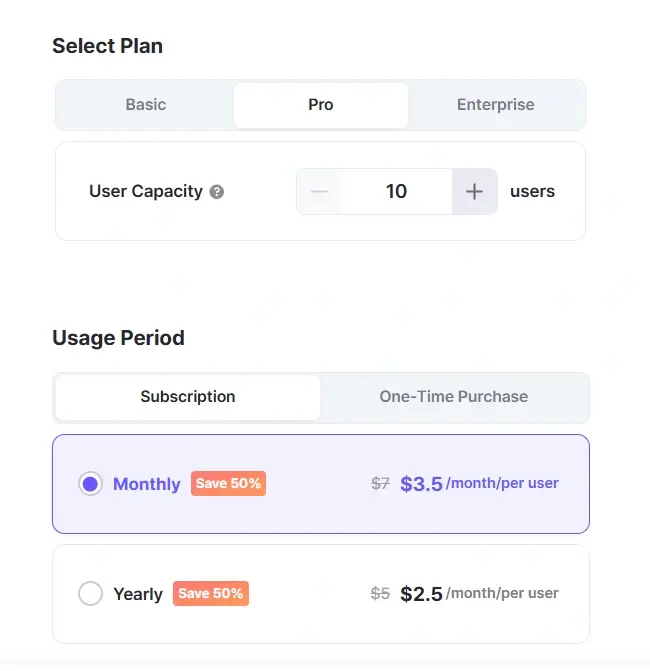
So the free tier is actually similar with the old Gather 1.0. So you can still use this platform as a small company. Even for the subscription fee is similar with the old Gather 1.0, while Workadventure is almost twice more expensive than Zep. So if you are price sensitive user like me, I believe that Zep is a good deal!
Mapmaker & Map Editor
If you are familiar with Gather Mapmaker, Zep Map Editor is almost similar. On Gather you will have 3 main tools on the top bar which is Object, Tile Effect, and Walls & Floors. On Zep, you will have 5 of it, very similar with additional tools, which is Floor, Wall, Object, Top Object, and Tile Effects. Top Object is the only new tool here, it’s for adding an object but above the foreground layer. I assume you already familiar with background & foreground system on Gather. It’s cool in my opinion, because I always need to tweak some interactive object on Gather if I want to add it as a background with foreground. But on Zep virtual space, worry no more.
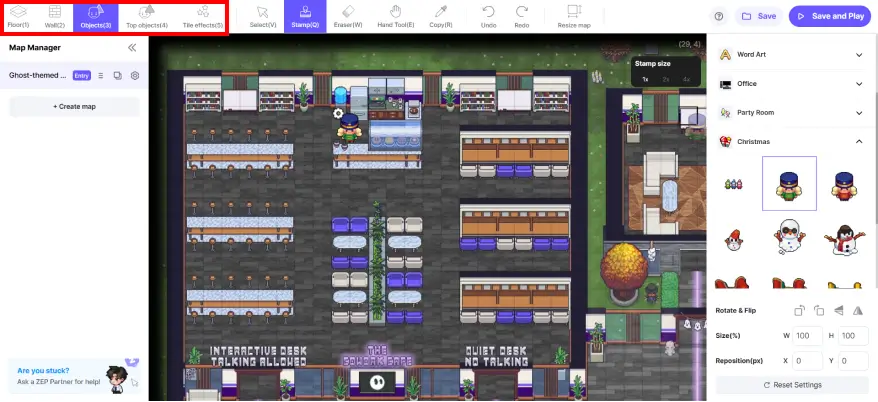
If Gather has their room selection on the bottom right panel, Zep has their room selection on the left panel named Map Manager. While Object Selection is similar on both which is on the top right panel. Gather has more object library than Zep, but Zep has Asset Store which have many object library that you can choose for free. Make sure you choose the visual style that’s similar with your map visual style.
Interactive Object
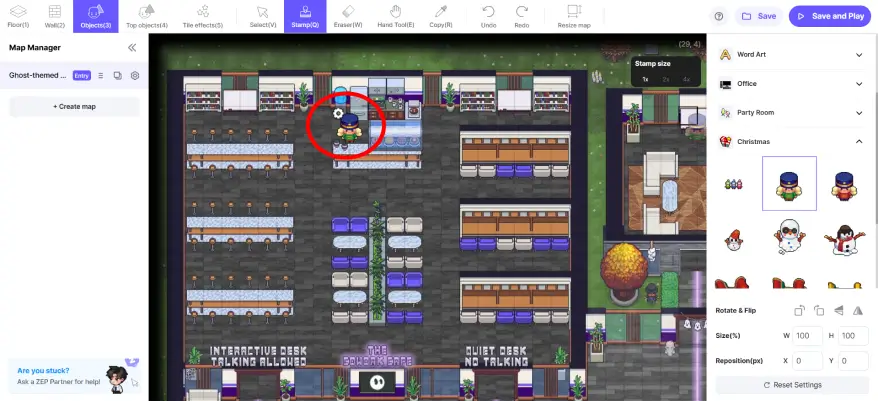
While on Gather 2.0 you can no longer add an interactive object, Zep still provide an interactive object feature like what we have in Gather 1.0. The interaction panel position is not similar with Gather, you need to add the object first, and then you’ll see a gear icon beside the added object (see image below).
There are a lot of interaction you can choose on Zep. What I like from Zep is the user interface, everything is so intuitive. So we can easily manage our space without having any particular skill barrier. No need to understand coding and programming, or even third party software/platform. You can see the interaction description, the selection, and the trigger method. Even for the complicated interaction like password prompt and multiple choice pop-up, it’s so easy to set it up because they provide all the form there, you just need to choose and fill it.
You can even add Developer Functions if you understand about scripting for making the object more interactive. Me personally don’t know how to do it, so I can explain it to you yet. But who knows 😀
Enough with the similarities, I’ll explain the differences!
Hotkeys
The moving hotkeys is similar with Gather, we can use WASD and arrow button for walking. If you are familiar with Press X to interact on Gather, Zep are using a different button for interacting with object. They use F button instead of X. It takes some time for me to familiarize, but after a moment, all is good.
Z button can be used for poking or showing direction. While in Gather we use X button for dancing, in Zep X button can be used for sitting down, cool gesture. To compensate dancing, you can use Space button for jumping instead because Zep doesn’t have a dancing gesture. But jumping is quite fun though, with the screen shaking while we are jumping! Even though we can jump, we can’t jump through an impassable tile.
If you are activating Ride Apps, you can also use E button to activate your vehicle. Apps will be explained later.
Background Music
Another game changer on Zep compared to Gather is the background music feature. We can add background music on the overall map/room or only as area with distance on tile effects. Imagine making a Halloween theme map, and you can add a horror background music on the cemetery. Or even pranking your co-worker with a scary music on their desk! It’s possible now on Zep!
Animated Object
Even if it’s not that obvious feature, but we can insert GIF object to Zep. On My Object in Object Selection, you can choose +Add, and then upload your GIF file. Make sure to adjust the size of the GIF object, it follows 32×32 pixels per tile rule like Gather. Imagine making a billboard, animated text, snow effect, fog effect, animated fire, many things! I love this feature so much beside the background music one.
Mini Games
While in Gather you play a game by embedding a game link to an object (although we can do that on Zep), Zep has many mini-games that can be played directly on the map. The system is someone will broadcasting the mini game, and everyone on the map can join the game as the player. For example, we can play boxing game with minimum 2 people. A health bar will pop up above the avatar name and you need to press Z button beside the player to punch them and their health bar will be reduced. It’s fun, isn’t it? Hard to explain it by text, so you can see the video below to see how it looks like.
There are plenty of mini-games you can play, some game need some setup on the Map Editor, but some can be played directly.
Installing App
The App Management is also a game changer. Basically you can add some helpful apps to your Zep space that everyone can access. On the free tier, you can only add 1 app, but you can subscribe to the Pro version to get unlimited apps installed. Some add example are Attendance, Stamps, Title, Poll, Group Photo, and many more. I’ll make a dedicated article to explain all of those apps later.
Those apps actually great if you want to add a little bit of gamification to your space, like getting point for certain activity like collecting stamps, by attendance, etc. It’s even better if you understand about scripting because you can add point to many things inside the space.
AI NPC Object
Another new feature that I never found before in Zep is AI NPC object. Basically you can install an AI NPC by giving a prompt to an object. They will act as AI bot to answer some questions from the participant. Although it’s quite tricky if we don’t know how to prompt it well, but it’s a cool feature to have. It can be helpful for event, or maybe for my demo spaces. I’ll make a dedicated article to explain about this later, I promise!
So that’s all the similarities and differences that I can found between Zep and Gather 1.0. Again I would say that this platform deserves a try. It’s really cool and has a lot of potential! It’s worth every penny for the subscription version. I’ll also absolutely move my HQ to Zep this year! If you have any question, feel free to ask on the comment section, or contact me here. I also provide a customization map service on Zep virtual space for your office, school, or event. Don’t hesitate to contact me! So see you next time in the next article! Sampai jumpa lagi!